ERP Scheduling System for an Education Center
Context and Problem
After I started working with a science education center for physics and chemistry, I found the organization running on a legacy system built on Excel. It kept crashing, froze under load, and made daily operational changes painful and error-prone.
Scale of operations:That's exactly why I decided to build a system that would make schedule and resource management more reliable and predictable. In my free time outside my main job, I built my own Scheduling System, and in mid-August, just before the new school year, I deployed and configured a dedicated instance of it for the center, free of charge, to make my colleagues' daily work easier.
My experience with relational databases shaped the project's core architectural principle: schedule and resource changes should be handled as transactions, not as simple spreadsheet edits.
Data integrity was pushed down to the database level, the change history is immutable via an Audit Log, and the architecture allows safely restoring the schedule state for any given day.
My Role
- System & Database Architecture — designed a multi-schema database architecture, a role-based access model, flexible conflict-resolution logic (substitute-teacher reassignment, moving lessons between classrooms), annual-schedule generation from a weekly template with automatic room assignment based on defined rules, pushed all core business invariants down to the database level (GiST-based range constraints preventing double-booking), transactional edit-session snapshots, and event queues.
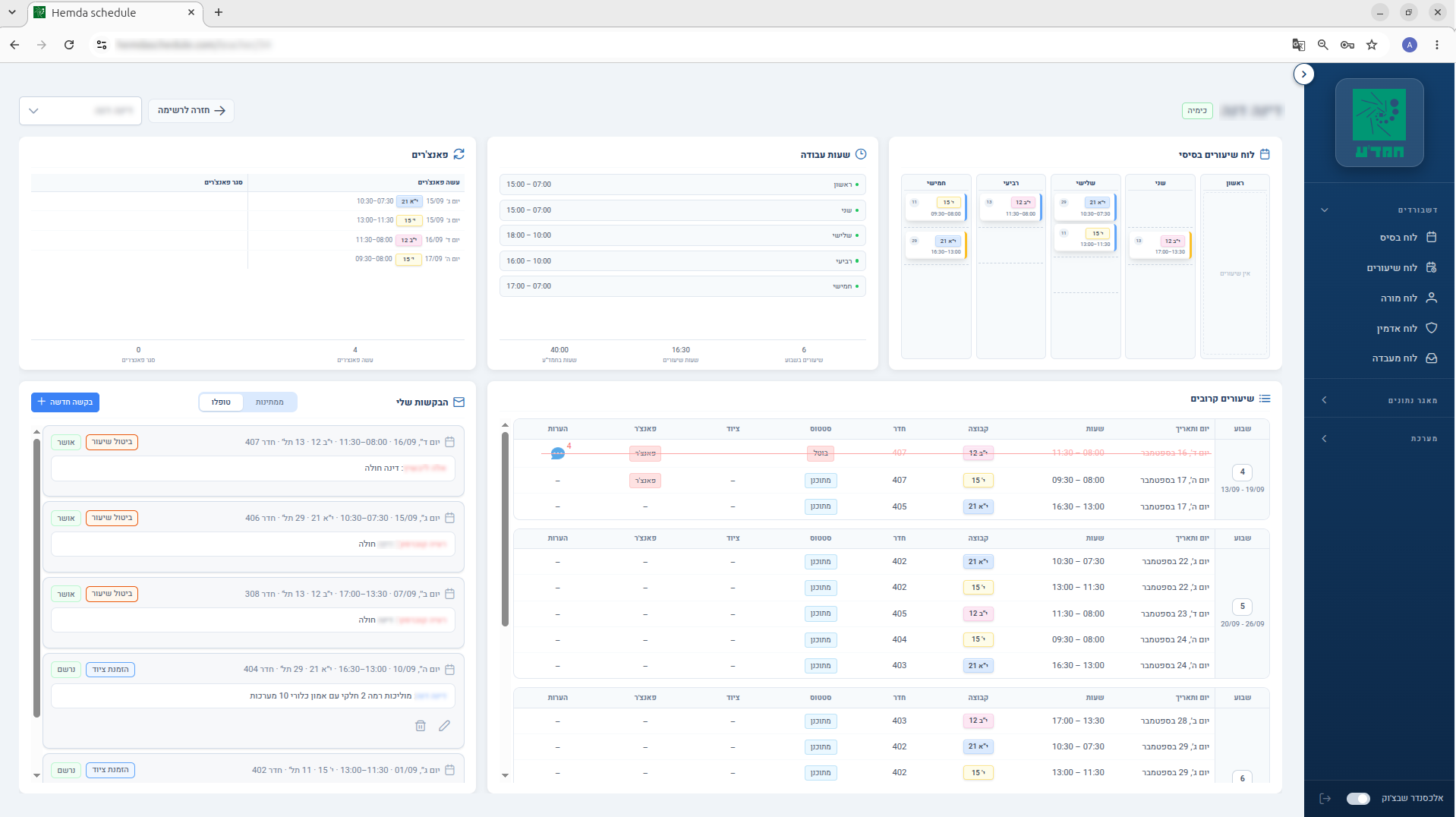
- Equipment Catalog Integration — integrated an interactive equipment catalog, so a teacher's order is traceable through the entire system at every processing stage (teacher dashboard, lab assistant dashboard, admin panel, and notification emails).
- UX & Interface Design — designed a simple, intuitive user interface.
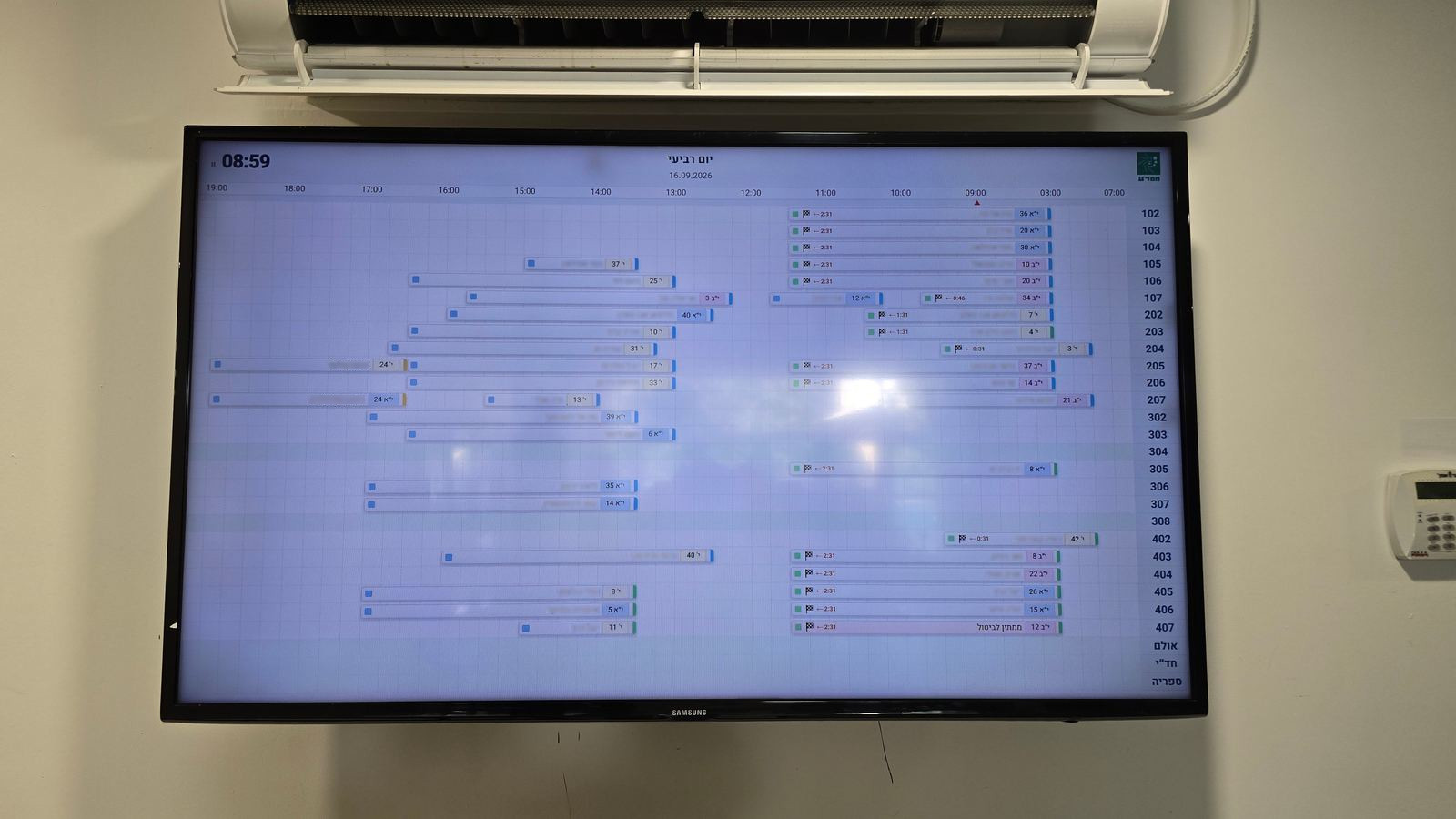
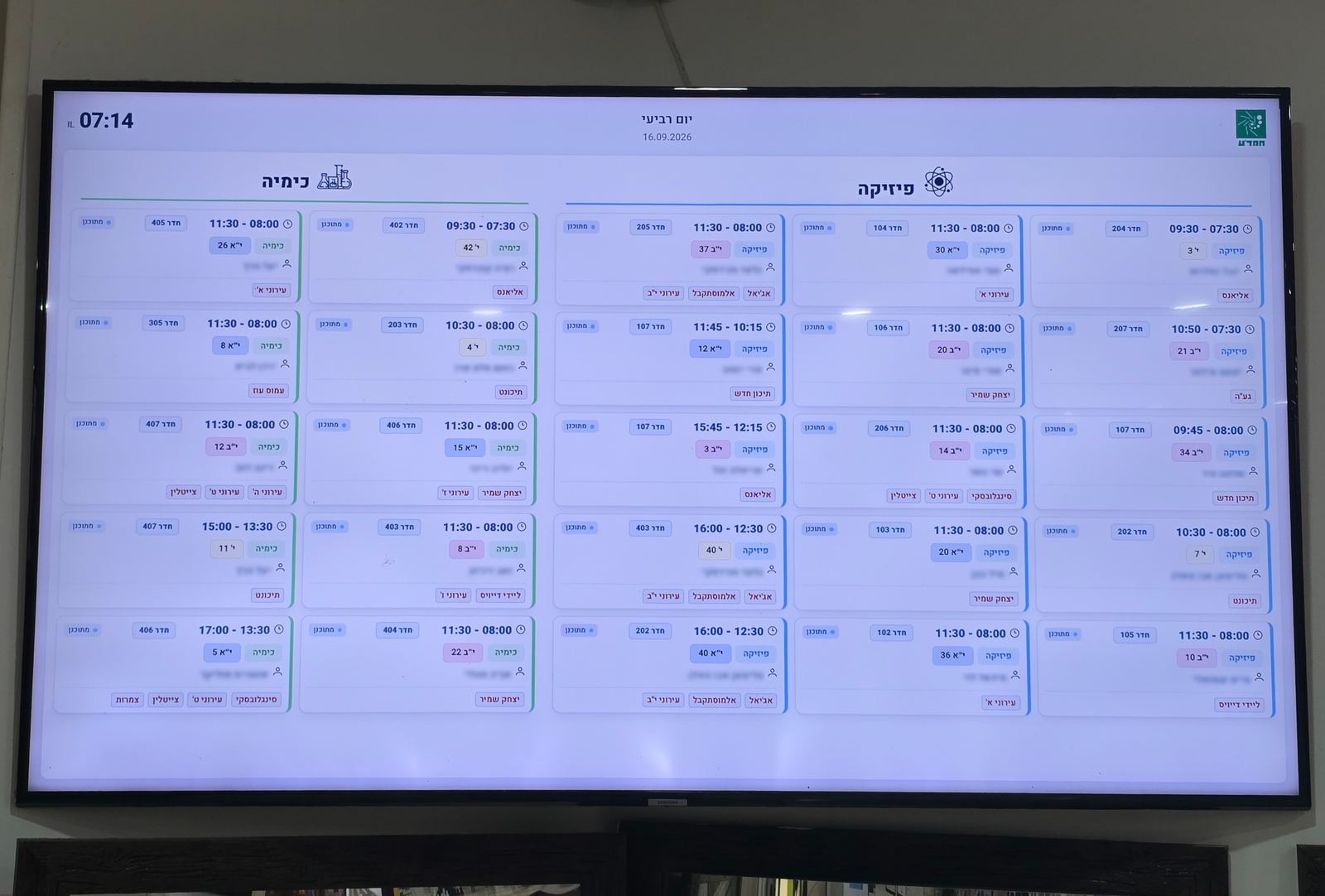
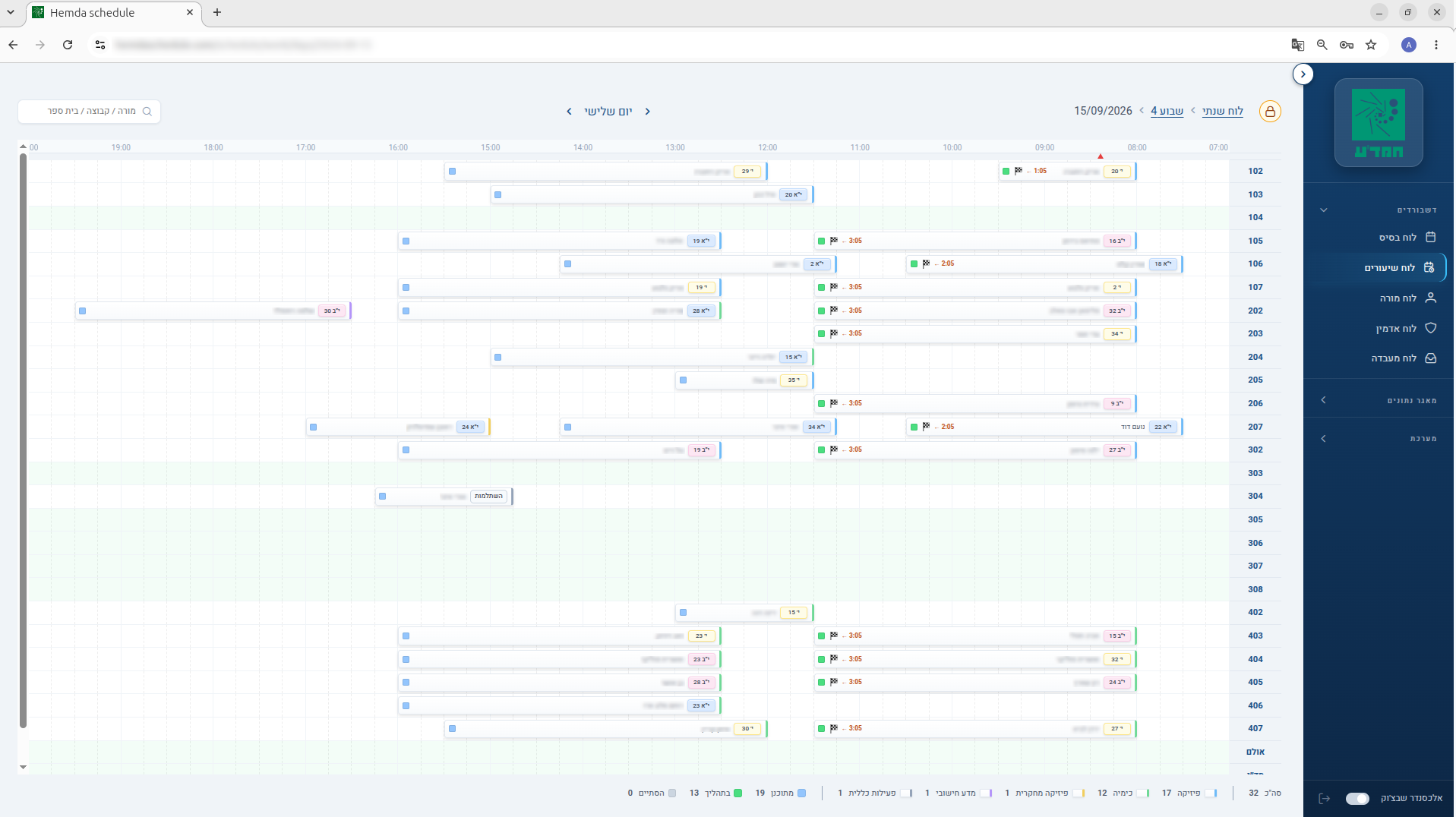
- Real-Time Display Boards — designed display boards for students and for teachers (the teachers' board shows additional operational information).
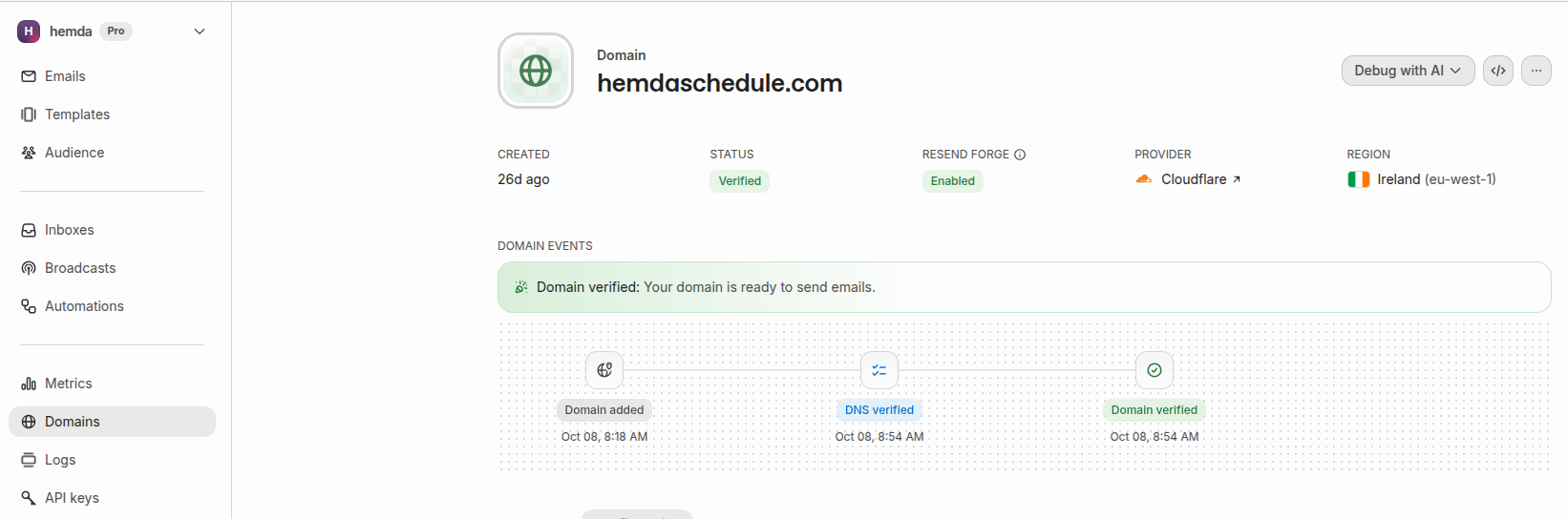
- DevOps & Infrastructure — containerization in Docker, Nginx, deployment via AWS EC2 + Cloudflare Tunnel, automated S3 backups, a transactional email delivery pipeline via Resend (with business rules changeable dynamically through the admin panel).
- Disaster Recovery — designed and tested a full system-recovery procedure (the failure was simulated as follows: terminated the instance, created a new one (updated the system, installed the required components), deployed a fresh copy from GitHub + restored the latest database backup). Based on the results, wrote a full step-by-step system-recovery guide.
System Overview
An ERP system for schedule and operations management:
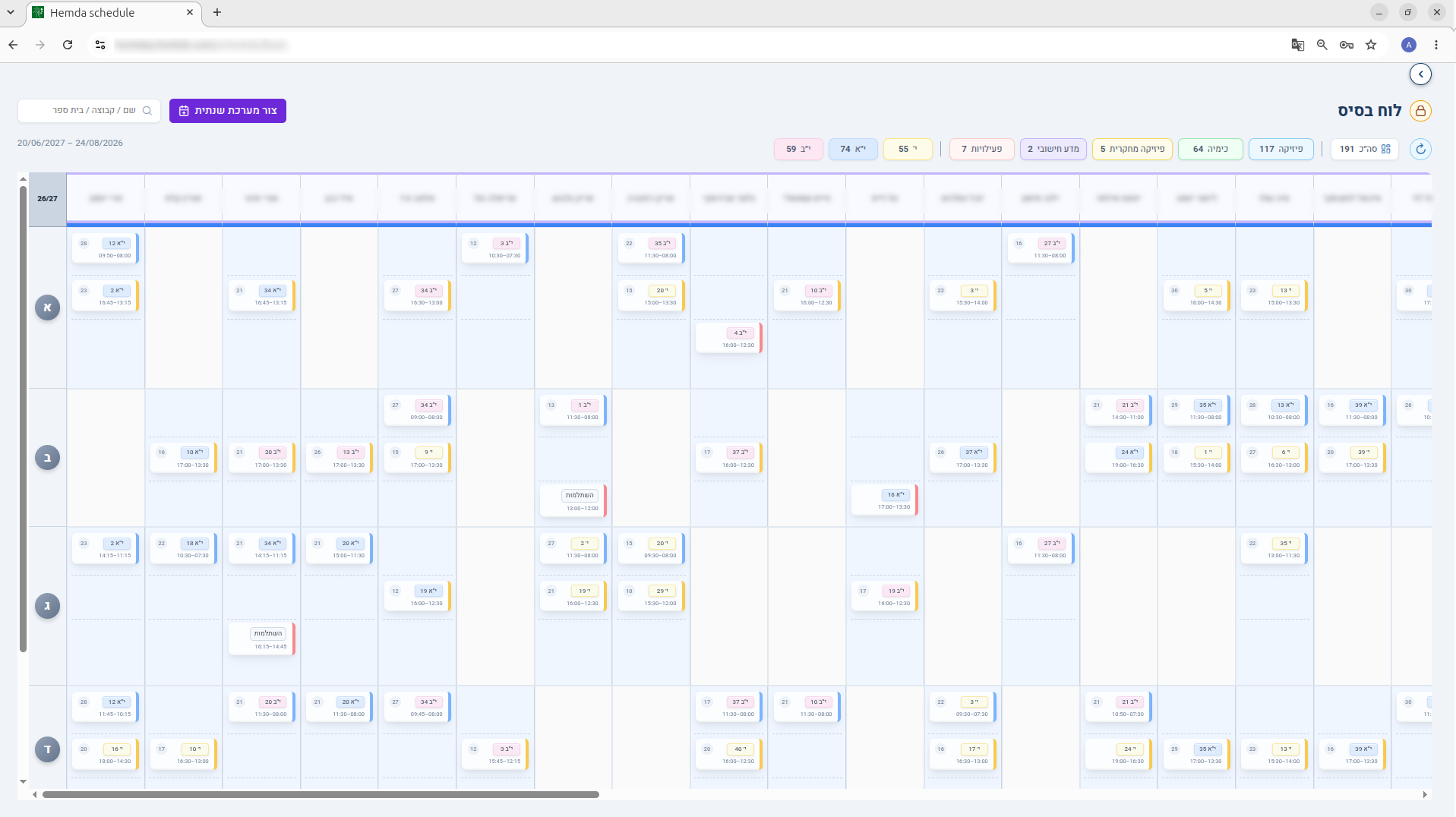
- Annual template + a generated year-long schedule
- Day-level schedule editing with freeze / unfreeze / rollback
- Teacher substitutions
- Lesson cancellations and reschedules
- Creating new lessons and extra activities
- Lab equipment ordering workflow
- Request queue (a single-window approval workflow)
- Email notifications for every key event — schedule changes, room reassignments, teacher substitutions, lesson cancellations, lab/equipment orders, request approvals, plus operational alerts for admins
- Granular role-based access
- Corridor TV displays for teachers and students
- Fully immutable audit log
Technology stack:
- PostgreSQL — chosen for native support of EXCLUDE USING GIST. At the database engine level, this ensures no overlapping time intervals and automatically rules out race conditions on concurrent requests.
- Logic in the database — moving invariants into the database gave a single source of truth and data integrity regardless of the entry point (API, background jobs, or a direct admin session).
- Node.js + Express — a thin, stateless API gateway limited to authentication and request routing, with no duplicated business logic.
- Vue 3 + PrimeVue — cut time-to-market thanks to a ready-made ecosystem of complex UI components for admin screens.
- Cloudflare Tunnel — isolated the infrastructure on a Zero Trust basis, removing the need to expose a public IP or open any inbound ports.
Project structure:
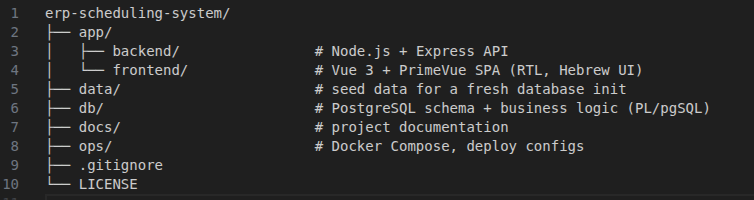
The system in real life:
System Interface
Click any screenshot to view it full-size.
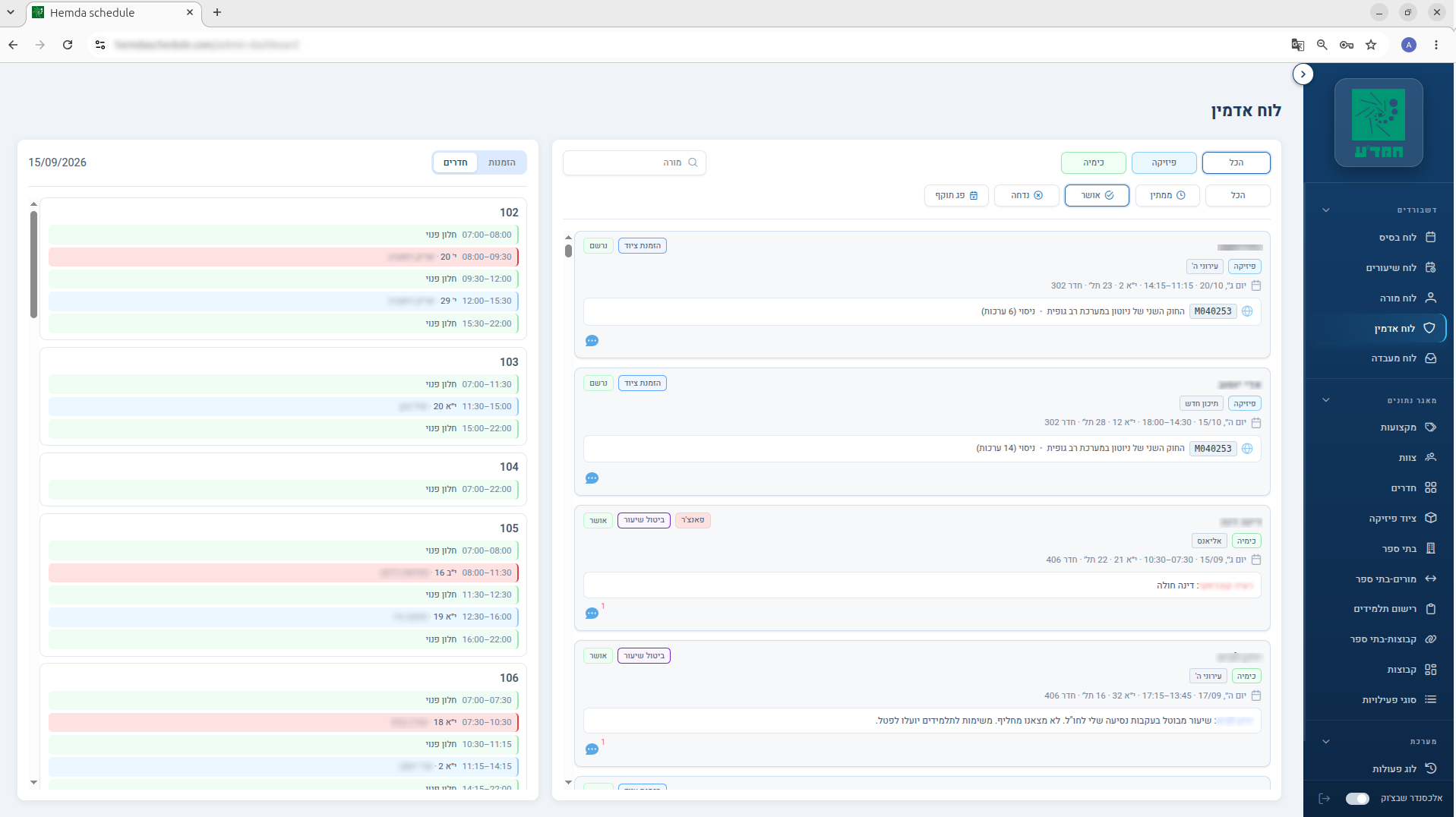
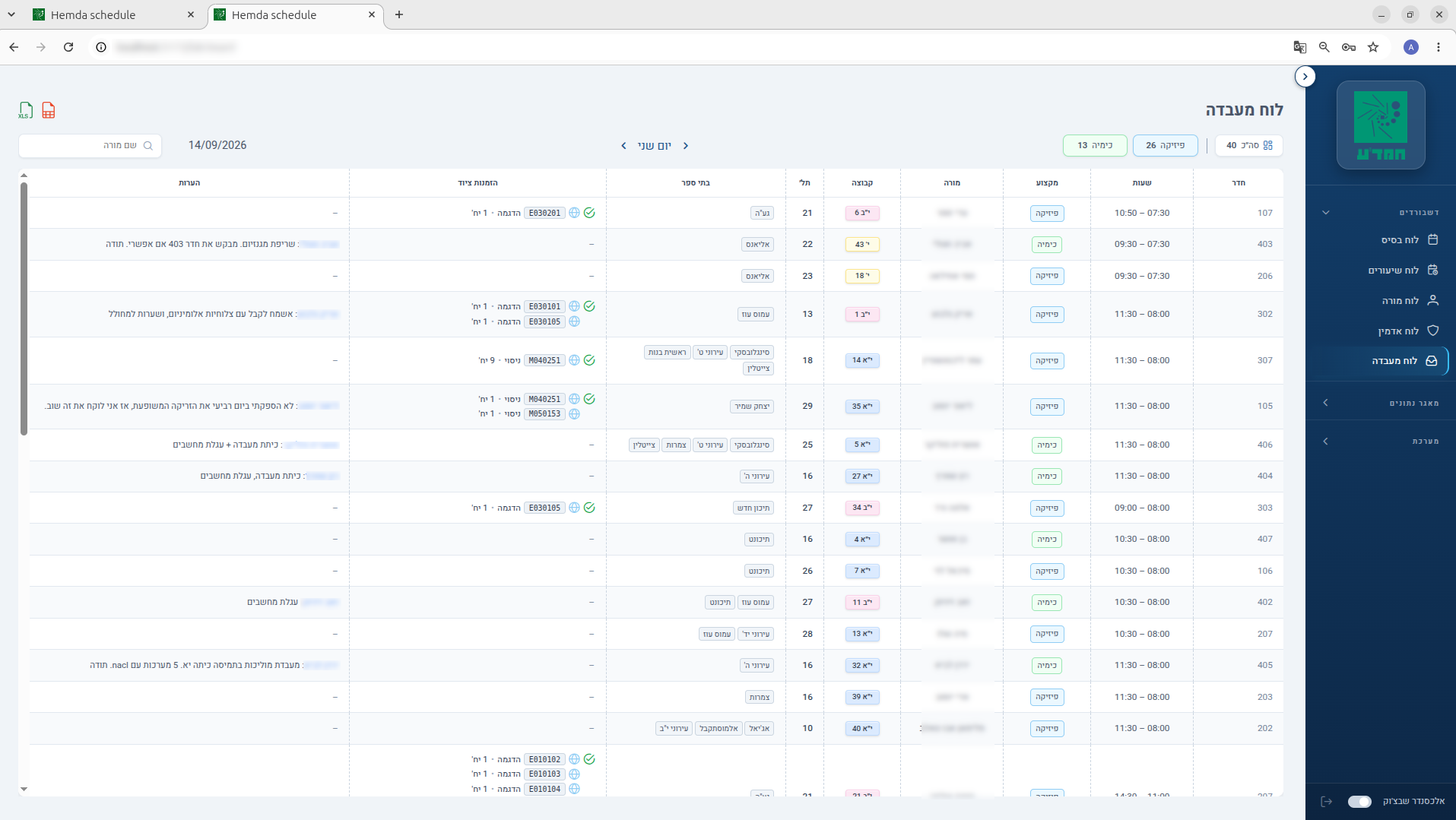
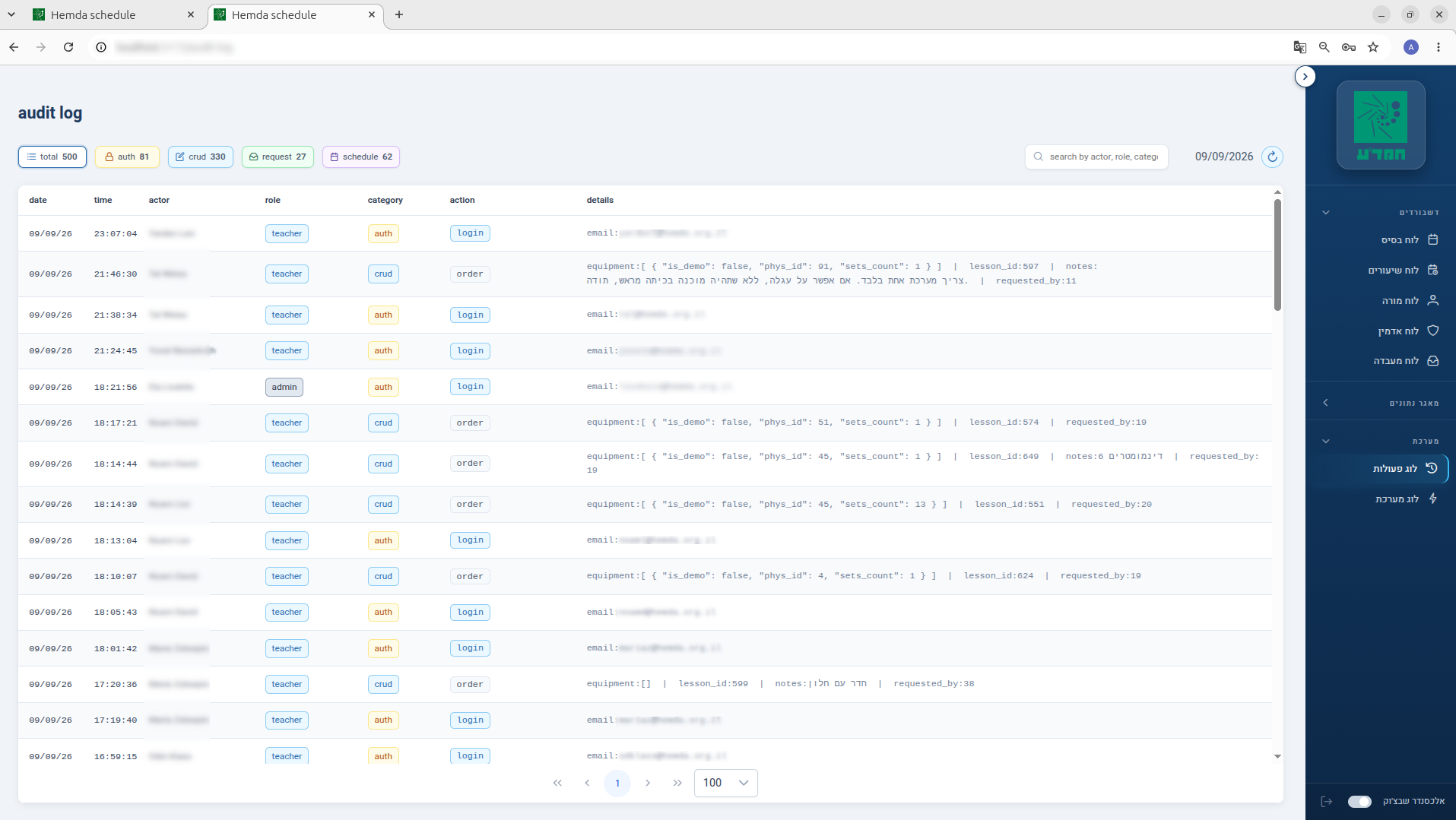
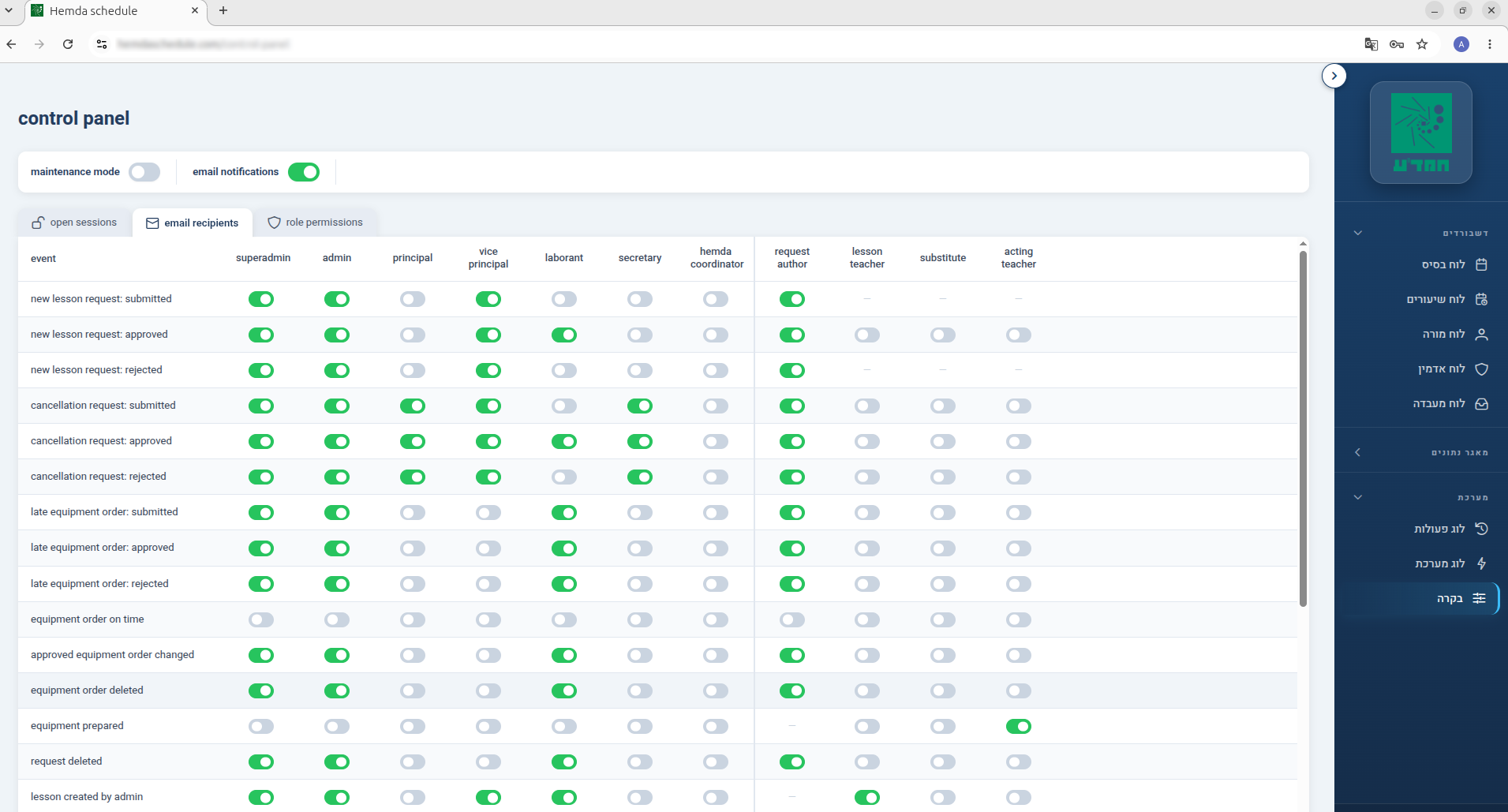
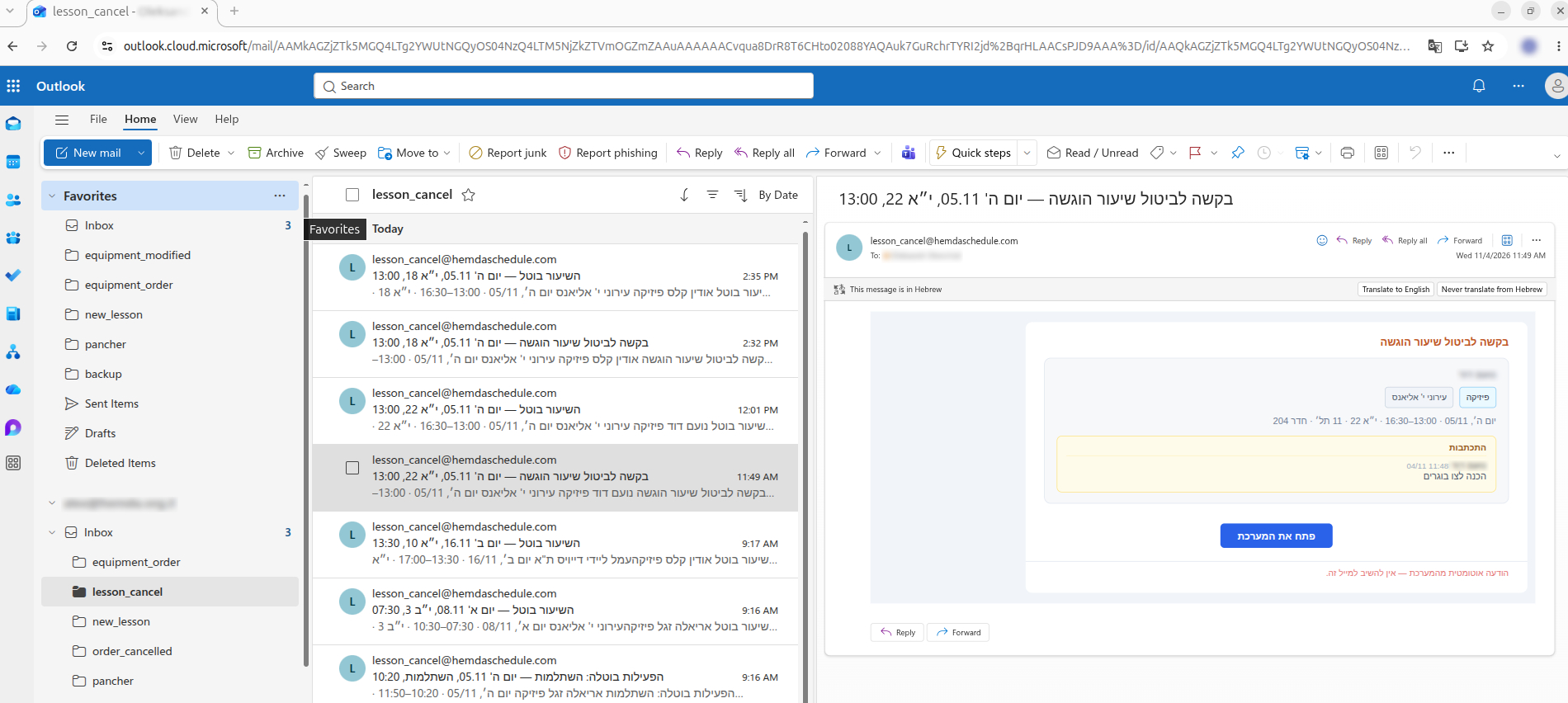
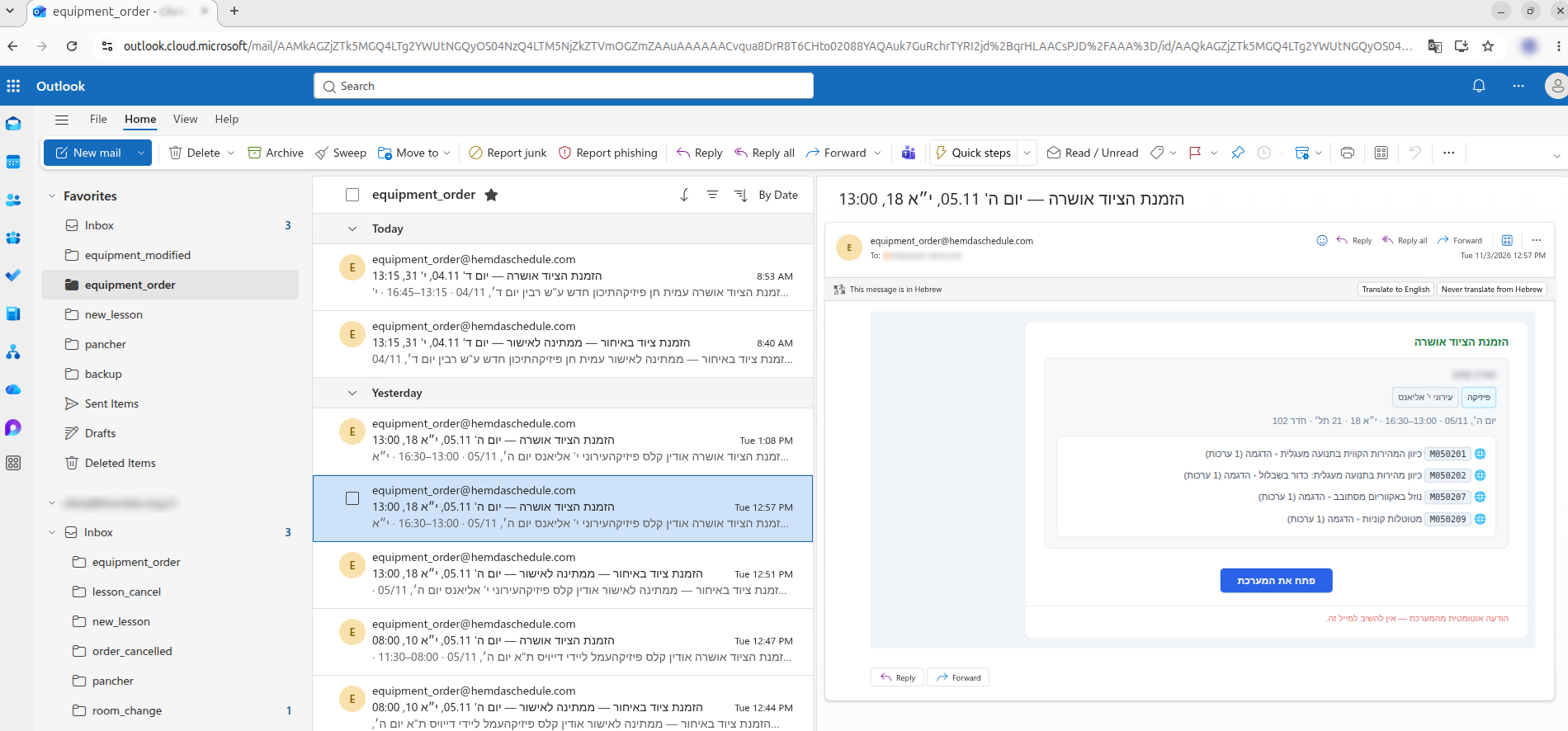
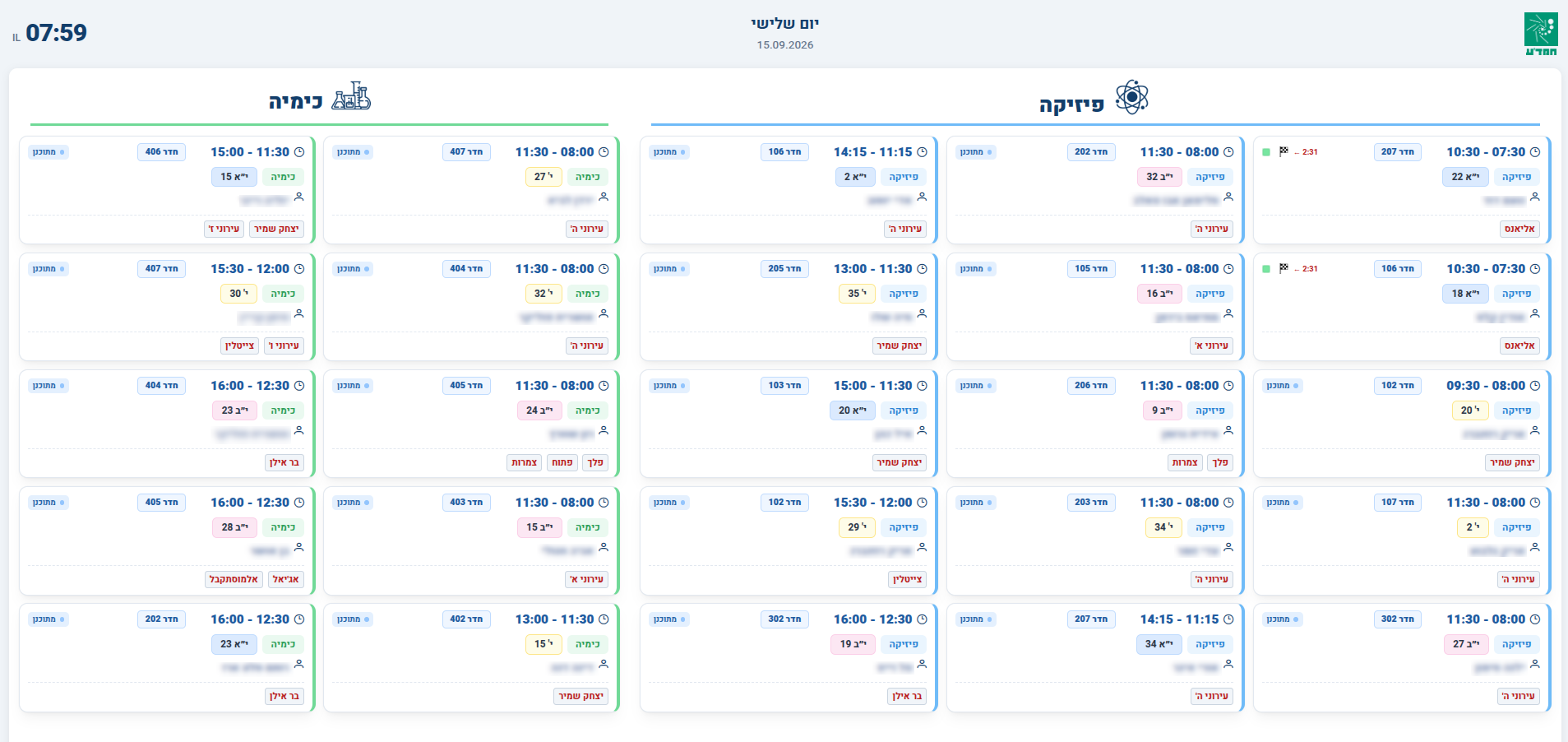
Engineering Culture — Code and Documentation
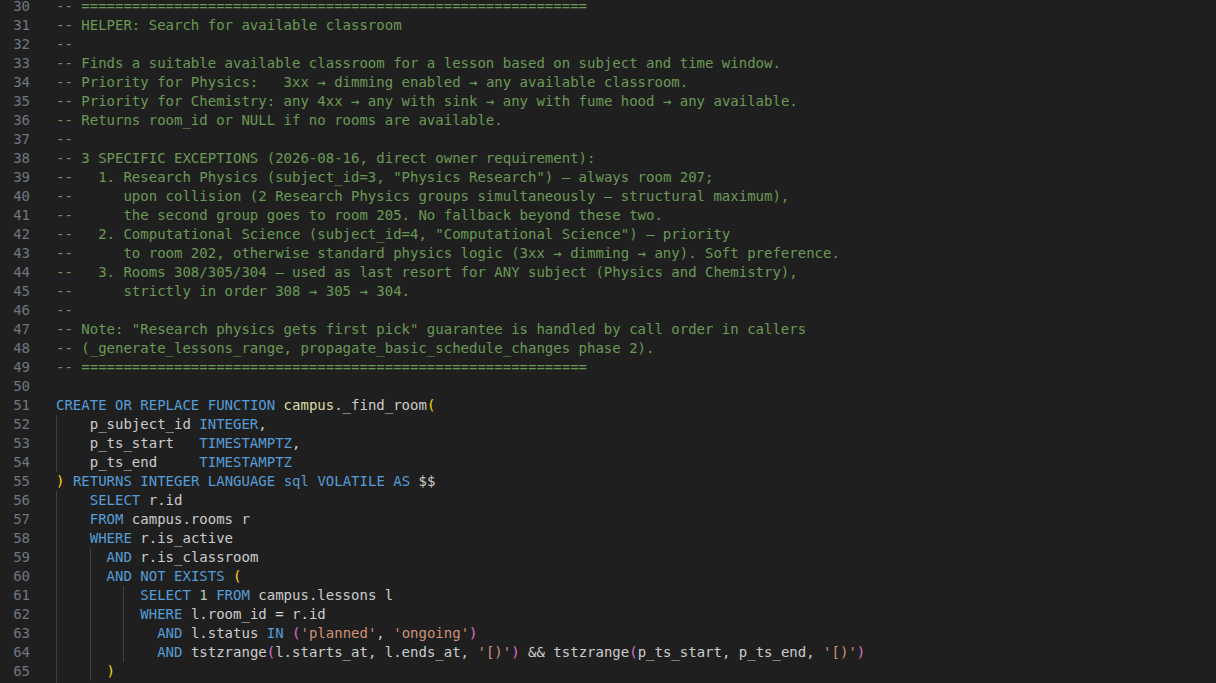
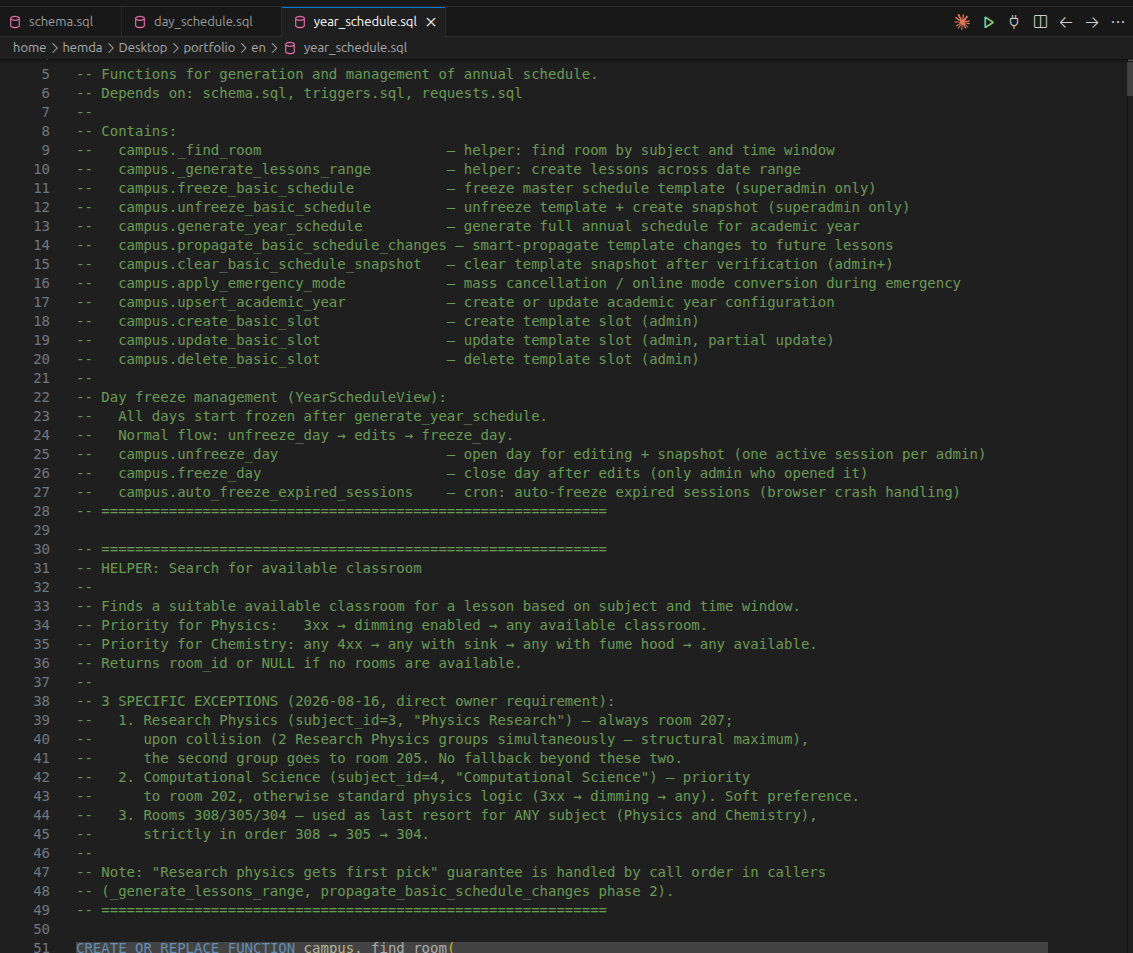
One of the project's core principles: logic and decisions are explained directly in the code — not only what a function does, but why it exists and what breaks if the invariant is violated.
1. Clear separation of structure and business logic
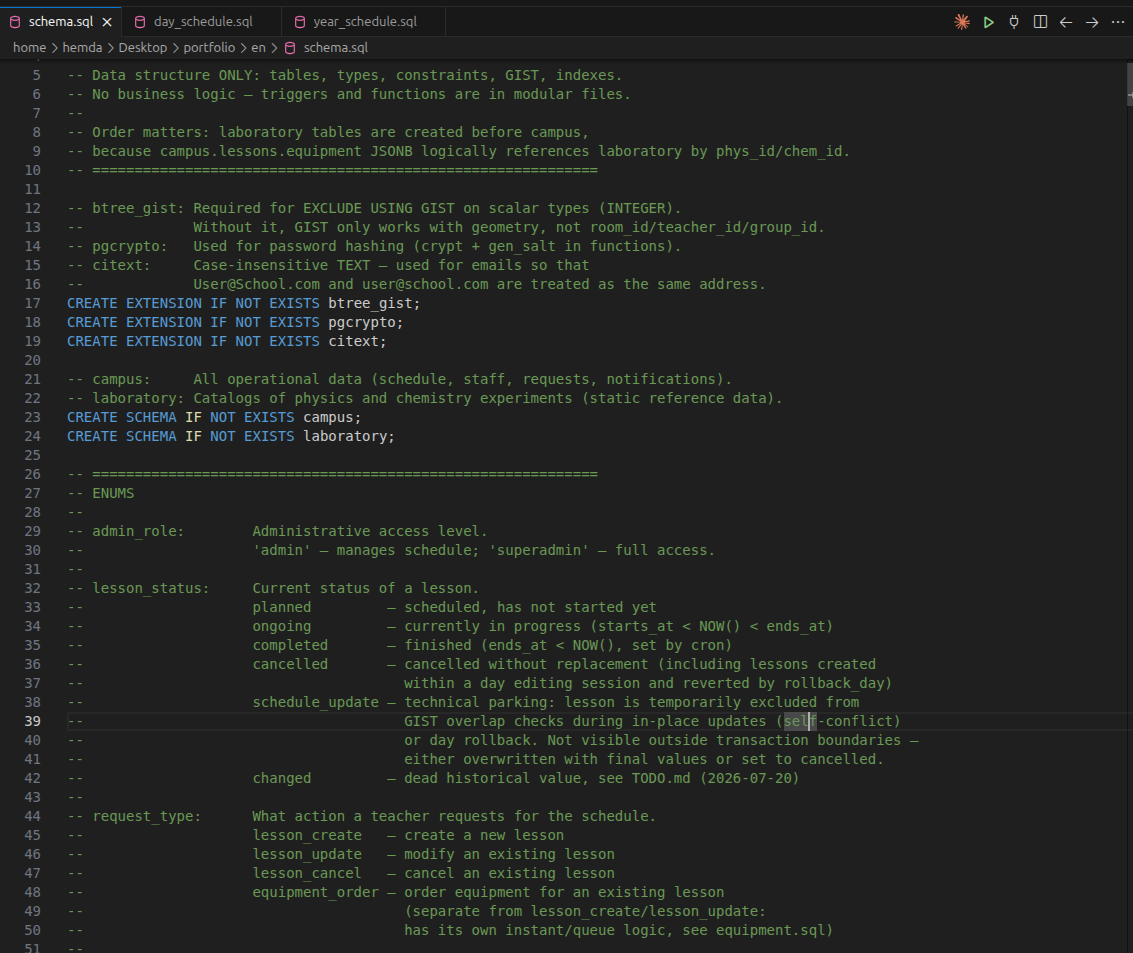
2. Room assignment with explicit business rules
3. Quality Assurance & Invariant Verification
391 automated regression checks (API + database layers) run before every deploy — verifying request approval workflows, teacher substitutions, day freeze/rollback mechanics, scheduling-conflict prevention (EXCLUDE USING GIST), equipment orders, and the notification-rules matrix.
4. Release & Operations Discipline
Each of the ~20 production releases over 9 months follows the same protocol: a migration
rehearsal on a fresh copy of the production database, Docker images tagged
:rollback before rebuilding, a backup taken right before applying changes, and a
written deploy log on the server. The actual container-switch window runs 13 to 55 seconds.
The full-outage recovery plan isn't just theory: the entire cycle — wiping the volume, a clean init from scratch, restoring a real production dump into a temporary database — has been run end to end, with key tables (staff, lessons, requests, permissions) checked row by row against the live database.
5. User Adoption & Change Management
To ensure a smooth transition from legacy Excel, I built a gradual rollout strategy:
- Early stakeholder engagement and demonstrations. During development, I regularly showcased working prototypes to colleagues, using concrete examples to demonstrate how the system would eliminate daily chaos and routine. Initial indifference quickly evolved into genuine anticipation of the release.
- Smooth adaptation two weeks before launch. I closely monitored staff reactions and assessed their openness to change. Seeing that the vast majority was positive, I approached the director with a proposal: avoid overcomplicating the transition with redundant parallel work in two systems, as dual-entry would only frustrate the team. The system turned out objectively simpler and more convenient than the old one, so I suggested starting the school year directly on it, and the director agreed. To give the team time to get comfortable, sandbox access was opened to all employees in mid-August, allowing everyone to explore the UI and their personal dashboards with zero risk. Simultaneously, the new schedule view was broadcast across all corridor display screens — giving the team two weeks before September 1 to visually adapt to the new format.
- Hands-on training. I conducted several rounds of hands-on training for teachers and lab assistants: navigating personal workspaces, requesting lab equipment in a couple of clicks, submitting reschedule requests, and tracking approval statuses in real time.
- Respect for existing habits and paper notes. I accounted for the fact that some lab assistants and teachers prefer holding a physical sheet — ticking off prepared experiments with a pencil or making margin notes. This exact functionality (equipment readiness checkboxes, lesson notes) is built into the system itself — some enter it directly into the interface, while others mark it on paper first and update the system later. That's why I added the ability to export to Excel, for printing, the information shown on the screen.
- Outcome. Thanks to the intuitive UI, even the most conservative staff members adapted with virtually no confusion. By the end of September (the first month of the academic year), the system was fully and seamlessly woven into all daily operations of the science center.
Results
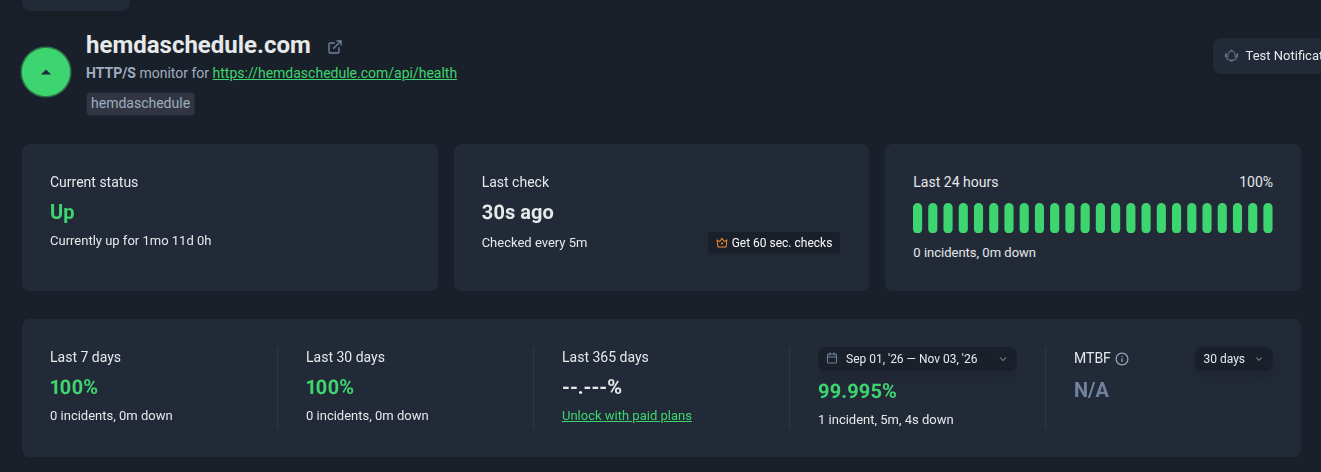
- The system has been running successfully in production since September 2026
- Handles the center's real daily operational load
- Critical invariants (schedule conflicts, access rights, audit) are enforced at the database level
- A complete, immutable history of every significant action
- About 50 staff members use the system every day